



Rezgo’s 14.7 update is here, bringing updates that make it easier to manage your business, give customers a better booking experience, and help you get more from Rezgo.
Here’s what’s new in Rezgo 14.7:
Give Customers Easy Checkouts with Apple Pay, Google Pay and More
The easier it is for customers to pay, the easier it is to turn a booking into a completed sale.
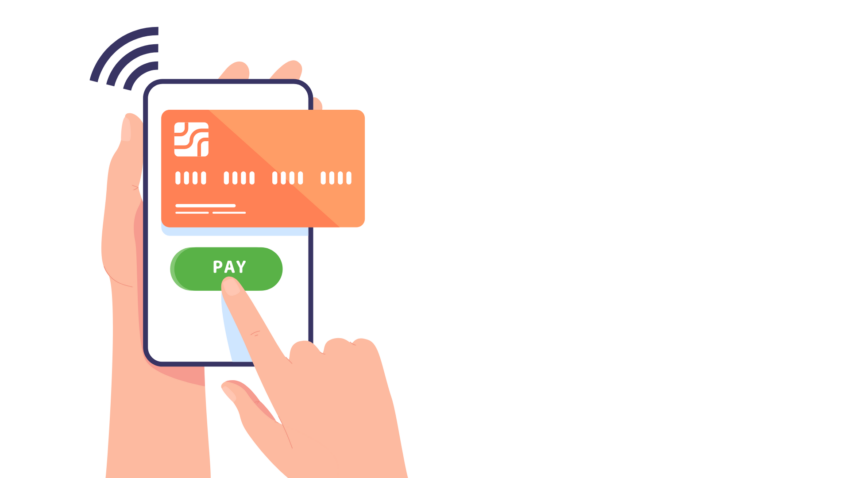
With Rezgo 14.7, express payment options are now available through the Stripe payment gateway. This includes popular options such as Apple Pay, Google Pay, and AfterPay, alongside the payment methods you already use with Rezgo.
Express checkout can make the payment process faster and more convenient, especially for customers booking from their phones. By giving customers more ways to pay, you can increase conversions without any extra effort.
Express payment availability depends on the customer’s browser and device. Before customers can use these checkout methods, you’ll need to configure them in your Stripe account.
Get More from Google Analytics
You need to know how customers find and book your experiences to make the right marketing decisions.
With Rezgo, you can now track bookings from their origin straight through checkout, without the booking iframe interrupting your tracking. Other booking systems lose track of the booking as the customer moves from your website into the booking widget or plugin, and finally through the checkout. They may report their best guesses, but that’s all they are: guesses. That makes it nearly impossible to get accurate information about where your bookings come from.
Rezgo’s enhanced ecommerce tracking solves this problem.
You can enable advanced analytics in your Rezgo Analytics settings, but first, you’ll need to set up our customized Google Tag Manager recipes on the tracking side. To avoid any interruption or duplication in your tracking, be sure to follow the required setup steps in the Rezgo enhanced ecommerce guide before enabling this new setting.
If you want to make informed decisions with your marketing budget, no matter how big or small it may be, you need accurate data. With this update, Rezgo’s analytics offer better accuracy than the competition, at no extra cost.
Simplify Access with Corporate SSO
Managing access for a large team just got easier.
Administrators can now configure corporate Single Sign-On (SSO) in our new Access Settings section. This allows users to securely sign in to Rezgo using their organization’s existing identity provider.
Rezgo currently supports PingOne and PingFederate for corporate SSO. If your organization requires a different SSO provider, talk to your customer success representative to learn more about how we can help.
With this addition, security policies have also been moved from a button on the Security Group page into the new Access Settings page, giving administrators a convenient place to manage security settings.
A Cleaner, More Customizable Kiosk Experience
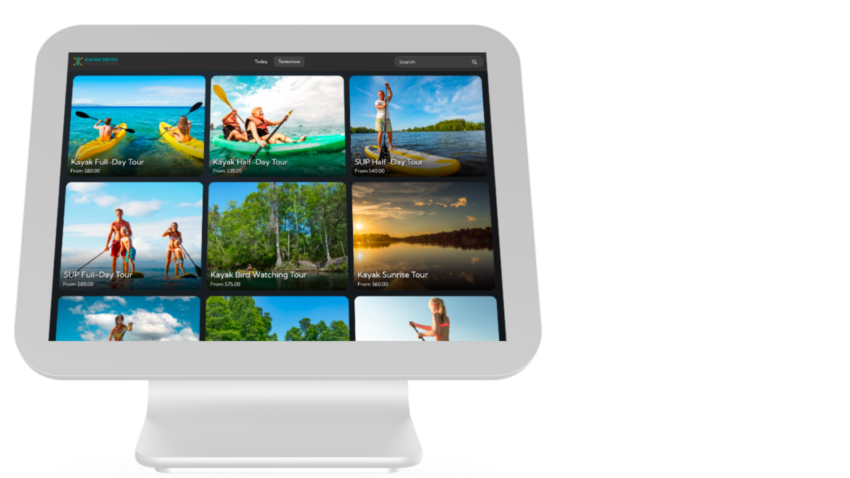
Our beta Kiosk interface has received a refresh in Rezgo 14.7, making it cleaner, more consistent, and easier to navigate.
The updated interface makes better use of available screen space, with the double header removed from the List page and featured images now displayed clearly on item detail pages. Long item descriptions are also neatly truncated to keep the layout organized.
We’ve also improved theme customization in this update, including a new option to customize the text color in your navigation and bottom bars, and improved consistency in template color management.
The result is a more polished Kiosk experience for businesses using Rezgo to help customers browse and book in person.
And More…
There’s even more in this release, including improvements to checkout, reporting, reseller bookings, and payment processing:
- Streamlined checkout: Customers now move through a clearer, multi-step checkout flow, with dedicated pages for waivers and billing, improved mobile navigation, and simpler handling of tips and gift cards.
- ActivityPay support: ActivityPay is now available as a payment gateway.
- More detail in booking reports: The Booking report date column now includes the booked time as well.
- Reseller booking improvements: Inventory providers can now show their standard line items on bookings received through resellers, helping simplify accounting in certain situations.
- Improved booking history: The desk name is now recorded in the activity log and booking history when a user moves a booking while logged into a desk.
- GetYourGuide review notifications: Scheduled review requests are automatically disabled for new bookings created through the GetYourGuide API to comply with GetYourGuide’s review solicitation policies.
- Other improvements: As always, this release also includes various minor improvements and bug fixes.
For more details about Rezgo 14.7, you can check out our full release notes. And if you have any questions or concerns, reach out to our support team by email or live chat–we’re always ready to help.

Written By | Rezgo



Search The Blog
Categories
Most Popular Articles
- Luxury Travel: 6 Key Trends That Are Dominating the Market
- Using Referral Codes to Track Concierge Bookings
- 16 Innovative Tourism Business Ideas and Trends for 2026
- Rezgo 9.6: Pinned Report Improvements, Quick Check-Ins, Invoicing and More
- Global travel trends 2026: What tour and activity operators need to know