


Rezgo 14.6 is here with a new way to make on-site sales easier, more flexible, and more convenient for your guests: Kiosk Mode.
Try Rezgo in Kiosk Mode
Want to make it easier for guests to book on-site? Kiosk Mode is here to help!
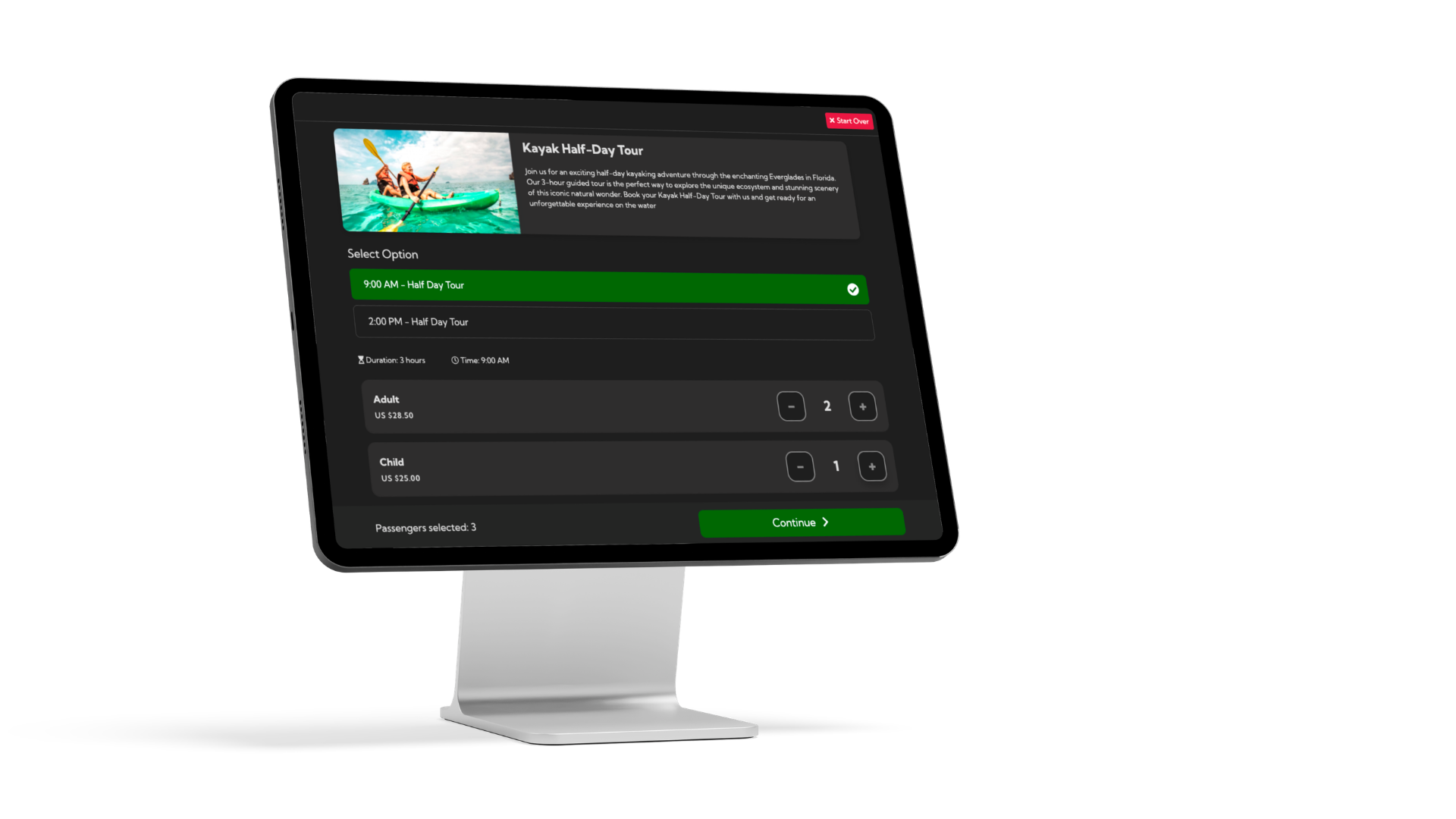
With a tablet-friendly layout, guests and agents can browse the day’s activities and complete bookings with just a few quick taps. It’s a simple, convenient way to turn a tablet into a self-serve booking station.
Kiosk Mode is currently in beta, but you can try it today. We’re excited to get it into your hands and hear what you think! Your feedback will help shape the improvements we make in upcoming updates.
What can you do with Rezgo’s kiosk mode? Take on-site bookings with ease. When setting up your kiosks, you can choose which inventory to offer, configure payments with supported terminals, and customize the layout and color theme to match your brand. Here’s more about how to set up your first kiosk.
And that’s just the start. We’re already working on updated kiosk visuals based on feedback from our early adopters. Those will be out soon. We’ll have even more improvements to kiosks and their payment methods to follow, too.
Better Notification Windows
You asked for longer notification windows, and we’re happy to deliver.
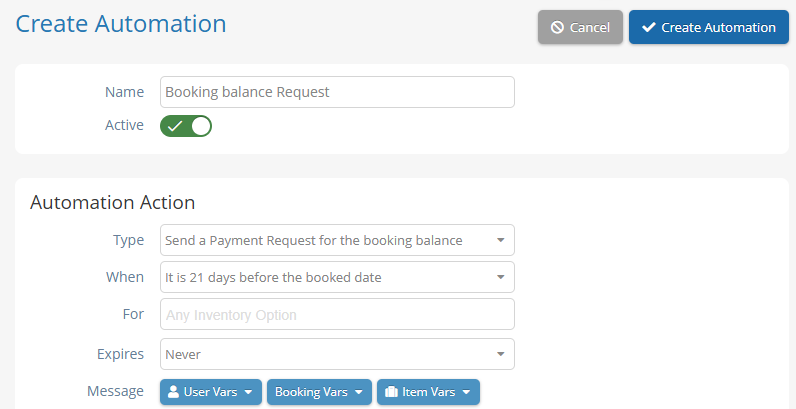
Automations and notifications can now be scheduled to send as early as 21 days before a booked date, giving you much more flexibility to keep your guests informed and excited. With automations, this also applies to payment requests, allowing you to collect remaining balances on bookings with much more breathing room.
While we’re discussing notification windows, the “Send Notifications” bar on bookings has also been extended from 12 hours to 36 hours, giving you more time to get those important receipts to your guests.
Promo Code Summaries
Want to know how often a promo code has been used for bookings? The new Promo Code Report makes that data much easier to access.
Whether you’re checking how a campaign performed or keeping an eye on a popular discount, you can now get a clearer picture of your promo code usage.
And More…
As always, there’s more to explore in Rezgo 14.6:
- Transaction reports now include a kiosk terminal filter, making it easier to find the transactions you need.
- A new system alert lets you know when a message has been sent through the booking edit contact form. Just remember: the message itself is sent to the connected email address, not to Rezgo.
- The smart description generator is now out of beta and available on all accounts. This lets you generate quick tour and activity descriptions, saving you time and creative effort when loading your inventory. If you prefer not to have access to smart descriptions, you can opt out of this kind of feature in your system settings.
One more thing: our most observant clients might have noticed a new analytics toggle. Don’t use it quite yet–you’ll need a bit more information from us before you can get anything out of it. But once it’s fully available, it’s going to be a game changer for your data tracking. Masterclass members, keep an eye on your email for more details very soon.
Have questions about the latest updates? Reach out to your customer success representative or our support team. We are always happy to help you make the most of Rezgo and help your business thrive.

Written By | Nissa Campbell



Search The Blog
Categories
Most Popular Articles
- 16 Innovative Tourism Business Ideas and Trends for 2026
- Your Tourism Marketing Mix: the 7 Ps of Travel and Activity Marketing
- Why is customer service so important in tourism?
- 10 Strategies to Increase Sales and Revenue in Tourism
- Rezgo 14.7: Express Payments, Advanced Analytics, SSO, and an Upgraded Kiosk